NetSuite

Connect NetSuite with the systems around it

Henswick keeps orders, inventory, customers, vendors, and financial data moving accurately between NetSuite and the rest of your business — validated, synchronized, and reconciled without changing how NetSuite itself runs.

Discuss your NetSuite integration

What can be connected

NETSUITE SIGNALS
Sales order created or updated
Item fulfillment recorded
Inventory level changed
Customer or vendor record updated
Vendor bill or invoice posted
HENSWICK LOGIC
Map data Apply rules Validate Route Hold exception
BUSINESS OUTCOMES
✓Create or update a record in another system
✓Trigger an approval
✓Send confirmation back to the source system
✓Reconcile orders, inventory, and billing across systems
✓Route an exception for review

Illustrative — the exact triggers and actions depend on your NetSuite configuration.

Example workflows

Ecommerce + NetSuite

Order intake and fulfillment sync

Bring orders from your storefront or sales channel into NetSuite without manual entry, and keep fulfillment status flowing back to where the order came from.

  1. An order is placed on your ecommerce platform or external sales channel
  2. Henswick validates and maps the order to NetSuite's required fields
  3. The sales order is created in NetSuite; fulfillment status is returned to the source system
Build this workflow →
NetSuite + Warehouse/3PL

Inventory and fulfillment loop

Keep inventory counts and shipment confirmations synced between NetSuite and your warehouse or 3PL system.

  1. A fulfillment request is sent from NetSuite to your warehouse or 3PL system
  2. Henswick tracks the shipment and inventory adjustment as it's processed
  3. Tracking numbers and inventory levels are written back to NetSuite
Discuss this integration →
NetSuite + CRM

Customer and billing reconciliation

Keep customer records and invoices reconciled between NetSuite and the CRM or billing system your team uses day to day.

  1. A new customer or updated billing detail is captured in your CRM or billing system
  2. Henswick validates and syncs the record with NetSuite's customer and financial data
  3. Discrepancies are flagged for review; confirmed records stay in sync going forward
Build this workflow →

Need to connect NetSuite with something else?

Henswick builds integrations beyond what's listed here — for any system already in your stack.

Talk to us about your systems →
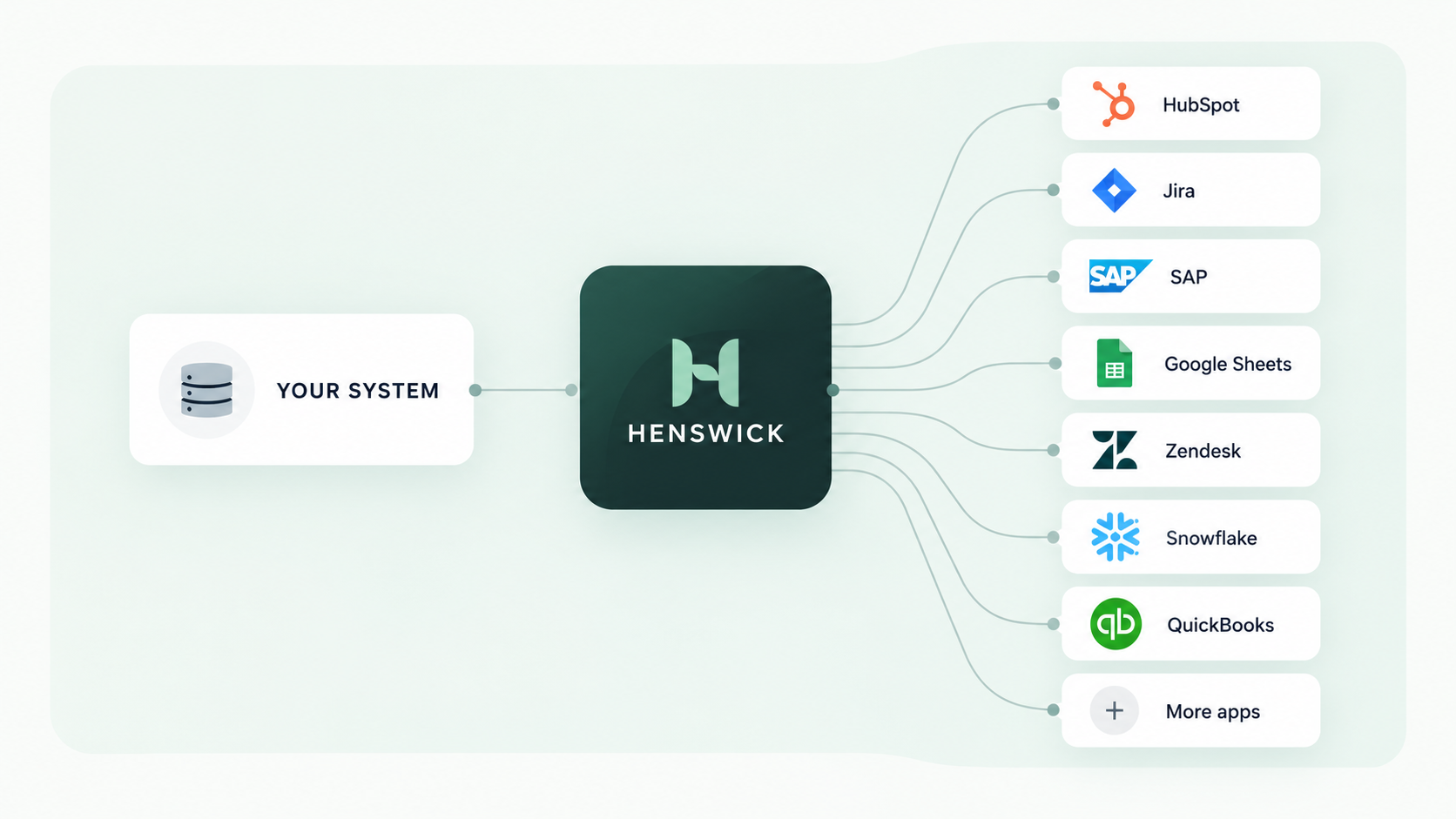
Your system connects through Henswick to HubSpot, Jira, SAP, Google Sheets, Zendesk, Snowflake, QuickBooks and more apps

NetSuite connects with the systems you already run

SAP SAP
NetSuite NetSuite
ServiceNow ServiceNow
Jira Jira
Slack Slack
Google Sheets Google Sheets
QuickBooks Online QuickBooks Online
Microsoft Teams Microsoft Teams

Ready to build your NetSuite integration?

Discuss your integration

Product names and trademarks belong to their respective owners. Henswick is not affiliated with or endorsed by the companies referenced on this page unless explicitly stated.